
What Does "Cards in Wallet" Track?
Listen to this article
Play the narrated version or enjoy the podcast conversation.
What Does "Cards in Wallet" Track?
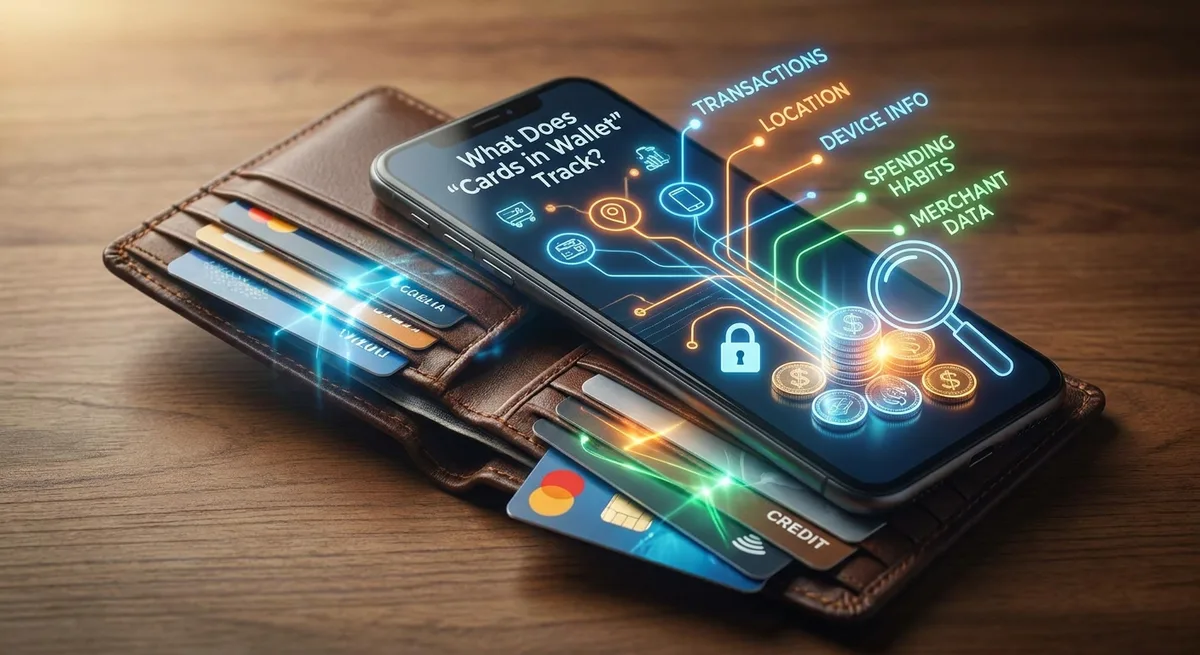
In our increasingly digital world, the convenience of tapping your phone or watch to make a payment is undeniable. Digital wallets, like Apple Wallet, Google Wallet, and Samsung Pay, have become an integral part of how many of us manage our finances. But with this convenience comes a natural and important question: what exactly do these "cards in wallet" services track about you and your spending habits?
Understanding the data collected by your digital wallet is crucial for maintaining your privacy and financial security. Let's delve into what information is typically tracked, how it's used, and what you can do to manage it.
How Digital Wallets Work (Briefly)
When you add a credit or debit card to a digital wallet, the actual card number isn't stored directly on your device or transmitted with each payment. Instead, a unique, encrypted "token" or device account number is created. This process, known as tokenization, is a core security feature that protects your real card details from being exposed during transactions. When you pay, this token is sent to the merchant, not your card number.
What Your Digital Wallet Tracks (and Doesn't)
While the raw card number isn't tracked, digital wallet services do collect certain types of information to ensure functionality, security, and sometimes to improve user experience. Here’s a breakdown:
Transaction Data
- Payment Confirmation: The wallet app confirms that a payment was made using a specific card associated with your account. However, the wallet provider typically doesn't see the specific items you purchased or the detailed breakdown of the transaction. That detailed information remains with the merchant and your bank.
- Location (Optional): For security purposes or to offer relevant services (like loyalty cards for nearby stores), your wallet app might request access to your location. This is usually an optional permission you can control.
Device and Usage Information
- Device Information: Your wallet provider will track details about the device you're using, such as its model, operating system, and IP address. This helps with security, fraud prevention, and ensuring the app functions correctly across different devices.
- App Usage Data: The app may collect data on how you interact with it – which features you use, how often you open it, and any issues you encounter. This data is often aggregated and anonymized to help developers improve the app.
Payment Card Details (Tokenized)
As mentioned, your actual card number is tokenized. The wallet app stores and manages these tokens, not your full card details. This token is securely linked to your account and device, making it safe to use for payments without exposing sensitive information.
What It Generally Doesn't Track Directly
Your digital wallet app typically does not track:
- Individual Purchase Items: Unlike your bank statement, which shows where you spent money, the wallet app itself usually doesn't record the specific products or services you bought. This information is held by the merchant and your card issuer.
- Your Financial Balances: Unless you specifically link a bank account for balance viewing (which is a separate feature and usually opt-in), your wallet app generally doesn't know your account balances.
Understanding Privacy Policies
Each digital wallet provider (Apple, Google, Samsung, etc.) has its own privacy policy. These documents outline exactly what data they collect, why they collect it, how they use it, and with whom they might share it. It's highly recommended to review the privacy policy for the specific digital wallet service you use. Look for sections on "data collection," "privacy," and "security."
Controlling Your Privacy Settings
You have significant control over the data your digital wallet can access:
- Review Permissions: Go into your phone's settings for the wallet app (e.g., Settings > Wallet & Apple Pay on iOS, or Settings > Apps > Google Wallet on Android) and review permissions like location services, contacts, and notifications.
- Location Services: You can often choose to allow location access "only while using the app," "ask next time," or "never." Limiting location access can enhance privacy.
- Personalized Ads/Services: Many apps offer options to disable personalized ads or data sharing for marketing purposes within their privacy settings.
- Security Features: Ensure you have strong device authentication (passcode, fingerprint, facial recognition) enabled for your wallet app.
Conclusion
While digital wallets offer immense convenience and robust security features like tokenization, it's important to be aware of the data they collect. They primarily track transaction confirmations, device information, and app usage data to ensure functionality and security, rather than the intricate details of your shopping cart. By understanding their privacy policies and actively managing your device's privacy settings, you can enjoy the benefits of digital payments with greater peace of mind.
Stay informed and empower your digital experience. Subscribe to Lendellect for more insights on technology and finance!